Google Sheets CRM Alternative for Small Teams
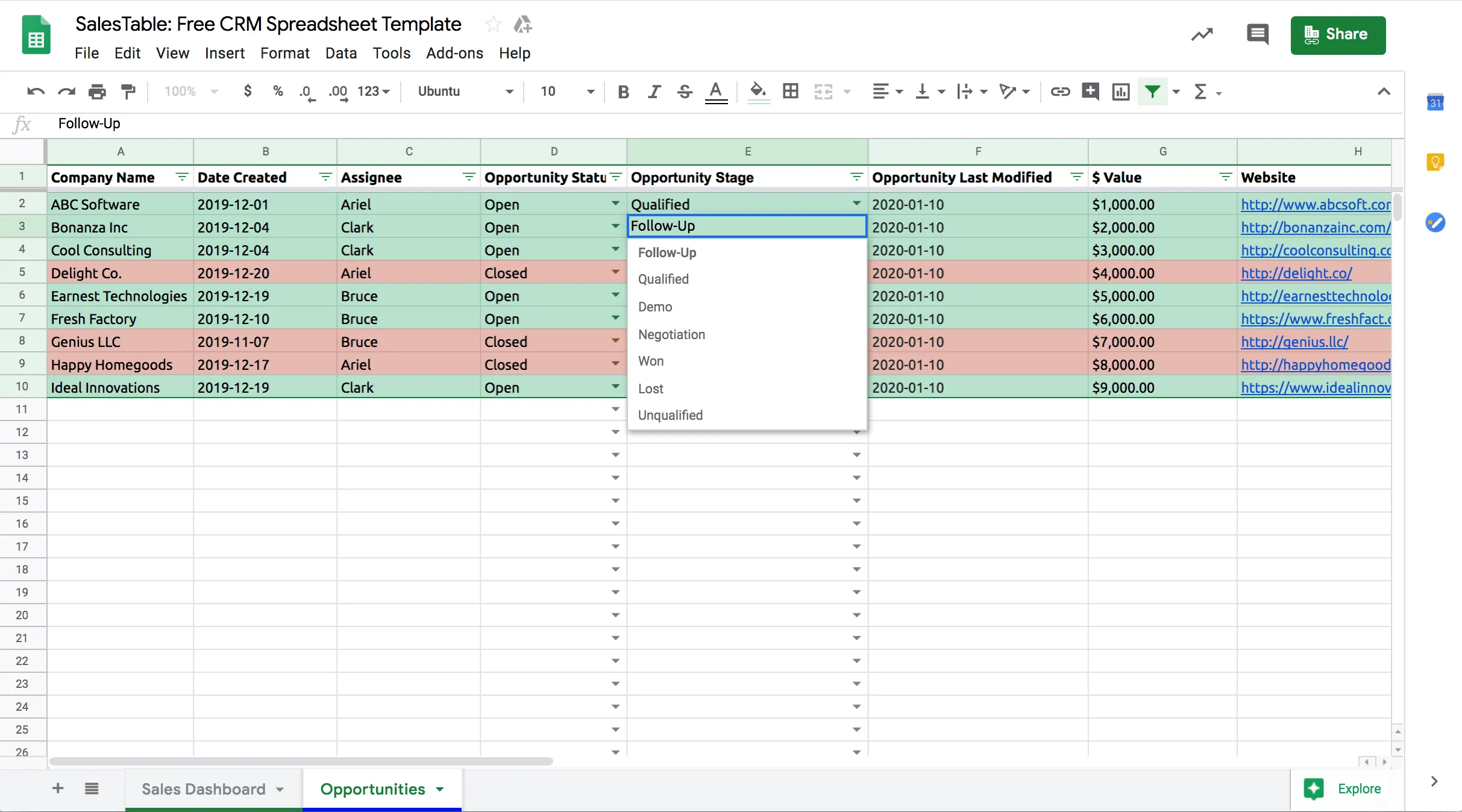
Small teams love Google Sheets for a reason. It is fast, familiar, and free. You can add a column, drag a row, and get moving without a six-month rollout.
That is also why so many small teams start there for sales.
At first, one spreadsheet can hold a simple pipeline:
- who asked for a quote
- what stage they are in
- who owns the follow-up
- rough deal value
- when someone last checked in
For a while, that works.
Then the sheet becomes the place where everything lives, and that is where the trouble starts.
Why Sheets work at the beginning
Google Sheets is useful when the business is still small enough that one person can see the whole pipeline in a single glance.
You do not need permissions logic. You do not need custom views. You do not need automation. You mostly need speed and a shared place to write things down.
That is a perfectly reasonable starting point.
The moment it stops working
The break usually happens quietly.
One person updates a row in the afternoon while another person filters the sheet differently in the morning. A deal is marked won, but nobody logs the next step for finance. Someone changes the stage, but forgets to update the note. At month-end, the spreadsheet and the inbox tell different stories.
That is the real problem: a spreadsheet can hold data, but it does not create a system.
What a real CRM changes
A CRM is not just a prettier spreadsheet. It gives you a few things Sheets usually cannot do well once the team grows:
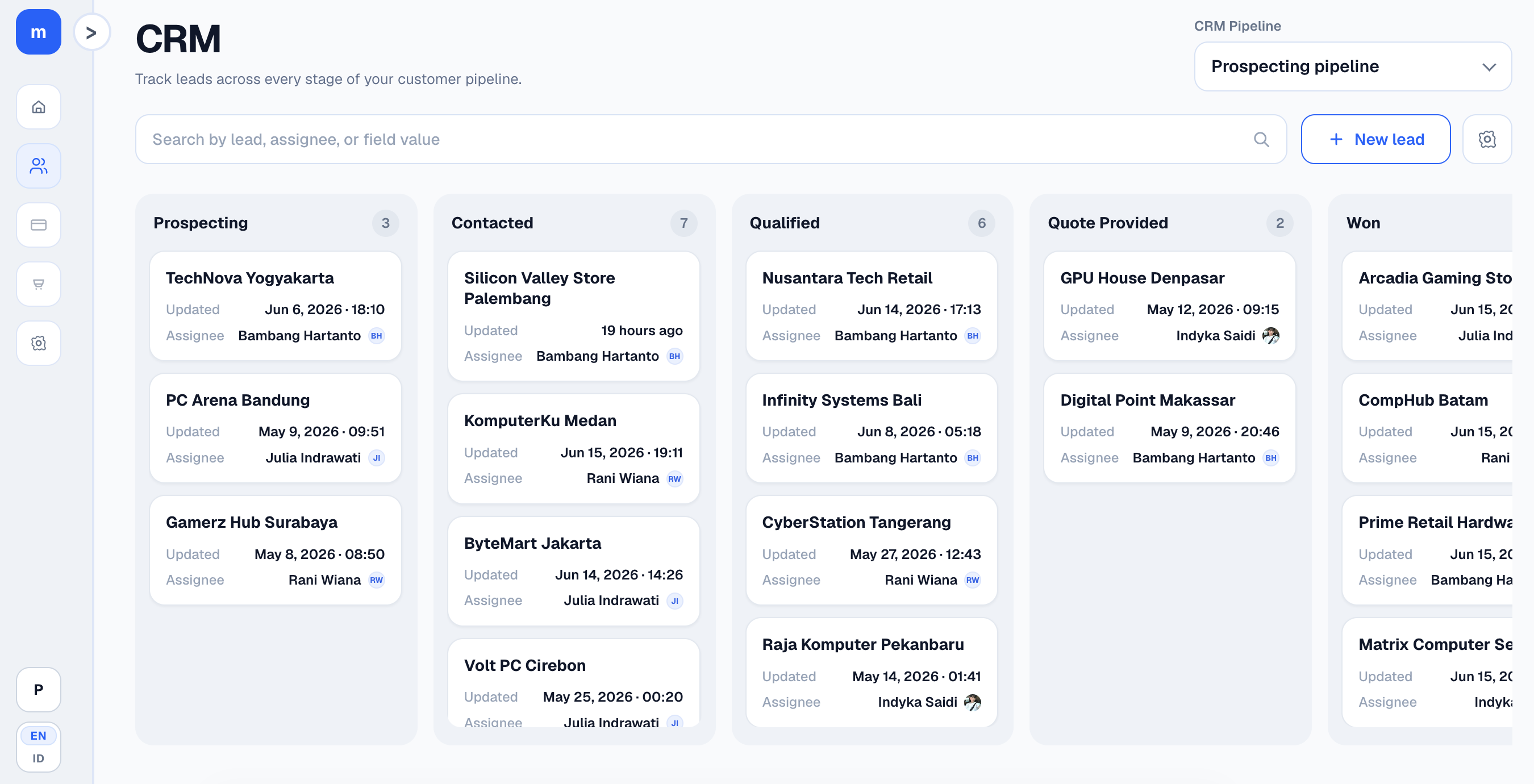
- one pipeline view everyone agrees on
- stages that mean the same thing for everyone
- activity history tied to each lead
- assignments and follow-ups that survive team turnover
- custom fields without breaking the whole sheet
- a single source of truth for sales status
If your team keeps asking, "Which version is right?" the tool is no longer the issue. The system is.
If you want to see the product angle, take a look at Modula's product page and see how the pipeline and ledger sit in one workspace. If you want to try it, create a free workspace.
What small teams should look for
If you are comparing a Google Sheets CRM alternative, do not get distracted by big-enterprise features. Look for the basics that remove friction:
- easy setup
- fast data entry
- kanban or list views
- mobile-friendly use
- clear ownership of each lead
- exportable data
- pricing that does not punish small teams
If bookkeeping matters too, the best option is often the one that keeps sales and finance closer together instead of forcing you to stitch things back together later.
What Modula is trying to solve
Modula is built for the teams that outgrow Sheets but do not want enterprise bloat.
It keeps the sales pipeline in one place, and it also gives you ledger data for teams that need a tighter connection between sales and finance. That matters if you want to know not just who won the deal, but whether the books are catching up properly.
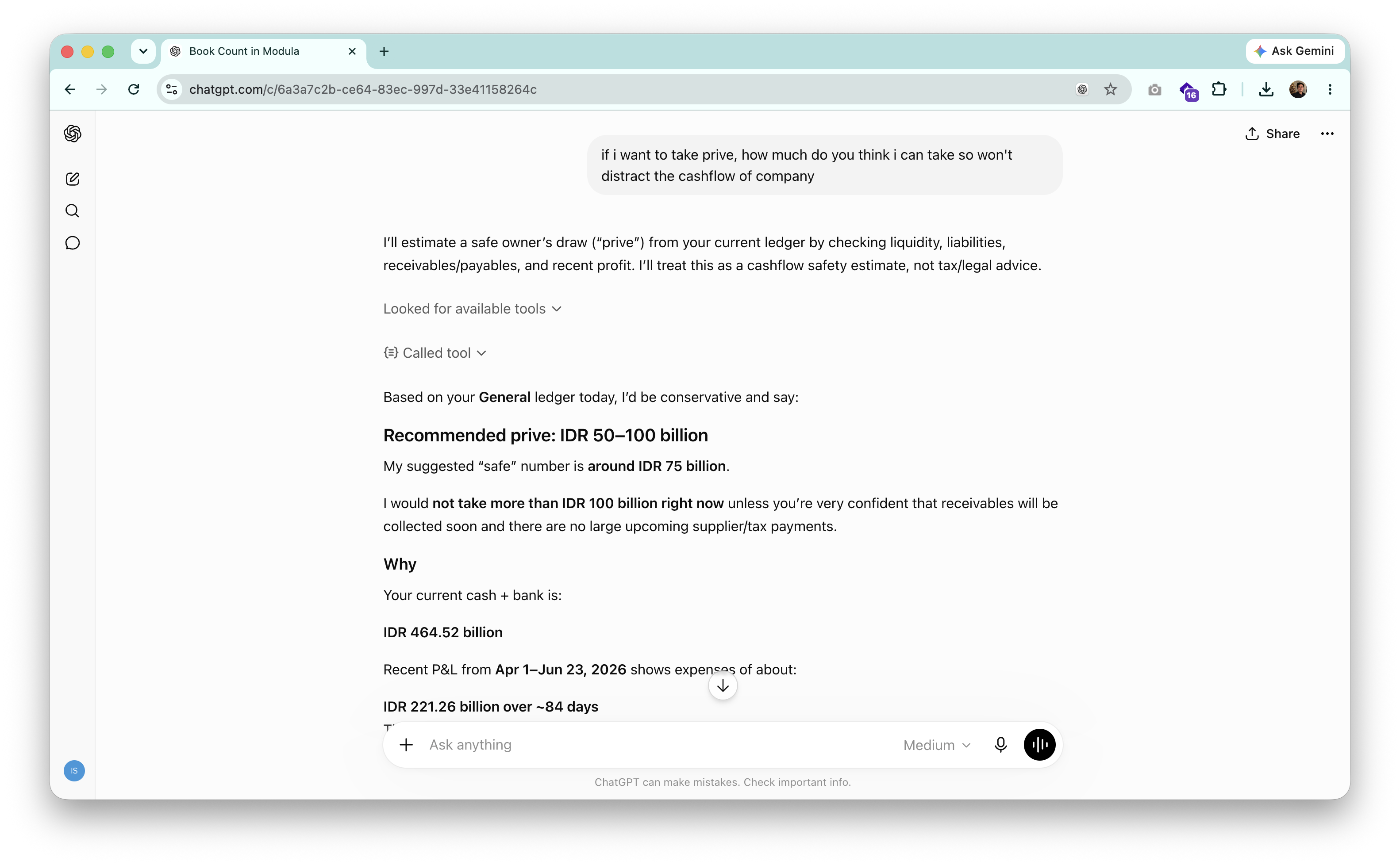
For teams that are also experimenting with AI, Modula can expose live CRM and ledger data through MCP so tools like ChatGPT, Claude, or Codex can answer questions from the real data instead of from a pasted screenshot.
When to move
A good rule of thumb: if the spreadsheet needs one owner just to keep it clean, you are probably past the point where Sheets should be your CRM.
If you also see any of these, it is time to upgrade:
- leads get duplicated
- follow-ups are missed because of filters or tabs
- sales and finance disagree on what is actually won
- the owner keeps asking for the "latest" version
- reporting requires manual cleanup every month
A practical migration path
You do not need to move everything in one day.
Start by mapping the columns in your current spreadsheet to the minimum CRM fields you actually use. Then move one team or one pipeline first. Keep the old sheet read-only for reference until the new process feels normal.
That is usually the safest way to switch: not by replacing everything, but by replacing the part that is already hurting.
Final thought
A spreadsheet is fine until the cost of keeping it accurate becomes more expensive than switching.
For a lot of small teams, that point arrives earlier than expected.
If you want to ask whether Modula fits your workflow, message us on WhatsApp.