When Your Spreadsheet Becomes the Bottleneck
Hannah runs a nine-person studio — branding, light web work, the usual. For a long time her sales "system" was a Google Sheet called LEADS_2024_FINAL (the name alone should tell you something). New inquiries went in column B. Status lived in column F. Notes were whatever fit in the cell.
Client chat happened in email and WhatsApp. Invoices went to Xero through her bookkeeper. Nobody thought this was elegant. It was just how things ran.
Then they hired a second person for sales.
Within a month, Hannah asked a normal question at stand-up: Which proposals are still open from last week? Silence. One person checked the sheet. The other checked starred emails. They ended up with two different lists.
Nobody was slacking off. They were working from two versions of the truth.

The sheet didn't fail — the team outgrew it
Spreadsheets are unfairly maligned. For a solo founder or a two-person shop, they're fast, free, and flexible. Hannah still says she'd start there again.
The friction shows up quietly. A deal marked "won" in the sheet doesn't mean anyone logged it for the books. A client agrees to a revised price in a message thread; the sheet still shows the old quote. At month-end, Hannah exports a tab, sends it to her bookkeeper, and hopes the totals match what sales remembers.
The breaking point isn't usually one dramatic mistake. It's the fifth time someone says let me get back to you when you asked something that should take ten seconds.
You don't need a six-month rollout
Plenty of teams assume the fix is "real CRM" and picture a painful migration: workshops, custom fields nobody uses, a dashboard that looks impressive and gets ignored.
What Hannah actually needed was simpler:
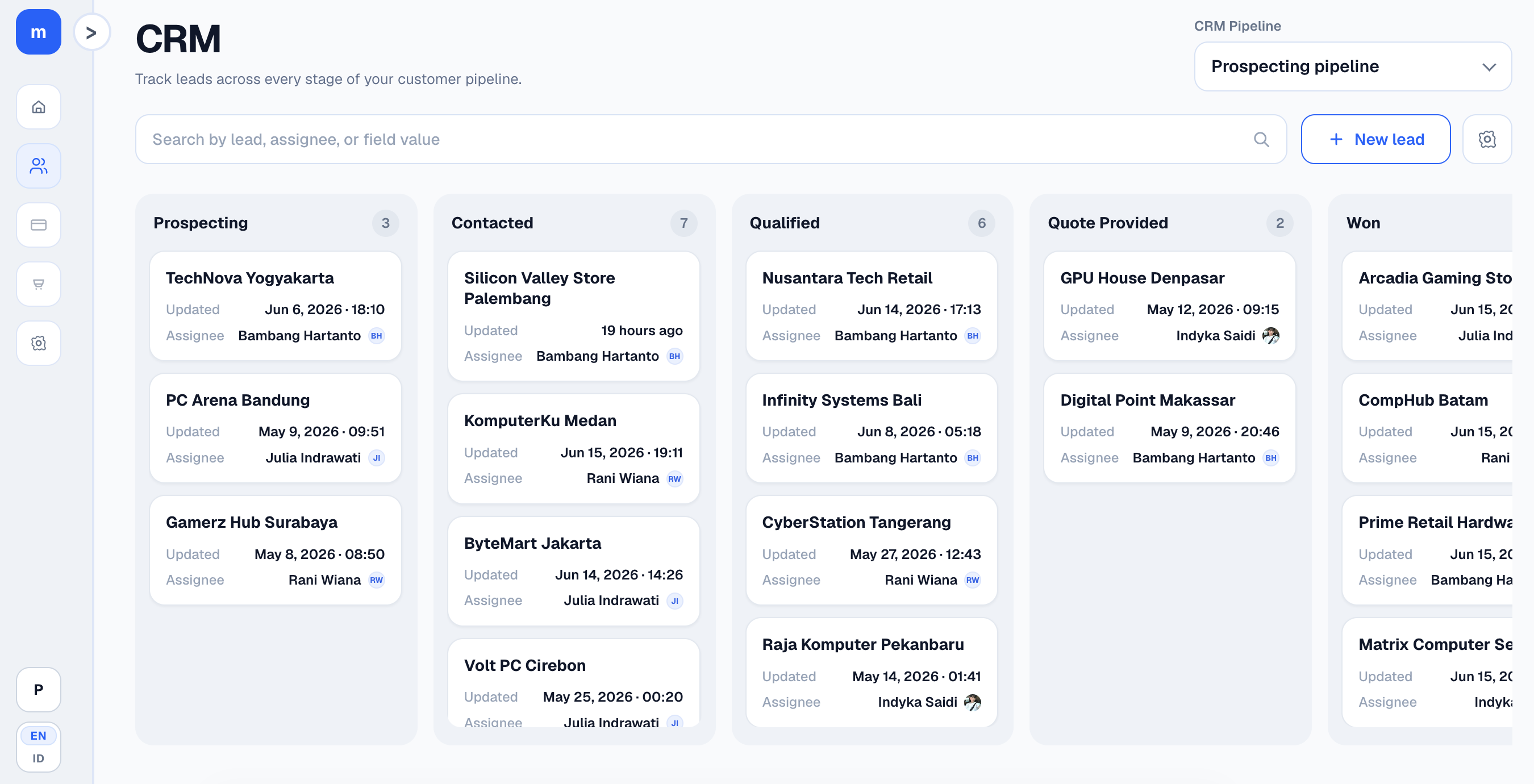
One place to see where each lead sits. One habit of moving cards when something changes. A clear handoff when a deal closes so bookkeeping isn't reconstructed from memory.
She didn't need software to post journals automatically. She needed sales and finance to stop playing telephone.
Won deals and late entries
Here's a pattern we see a lot. A project lands on a Thursday. The team celebrates in chat. The sheet gets updated on Monday, maybe. The journal entry happens when someone reminds everyone at the monthly review.
The numbers eventually match. The lag is the problem. You can't see cash or pipeline clearly when "won" and "recorded" are a week apart.
A simple pipeline — inquiry, scoped, proposal sent, negotiating, won — doesn't sound revolutionary. The difference is everyone looking at the same board, on the same day.
If you're thinking about changing something
Don't rip out what's working on day one. Pick one pain: stale leads, messy handoffs, month-end surprises. Fix that first.
Hannah's version: move open opportunities into a kanban board, agree that only the board counts for status, then connect closed deals to bookkeeping in a separate step. Messy for two weeks. Calmer after.
Modula is built around that shape — kanban CRM and double-entry ledger in one workspace, free for small teams. No credit card to poke around.
If you want the overview first, see the Modula product page for pipeline, journals, and reports. When you're ready, create a free workspace.
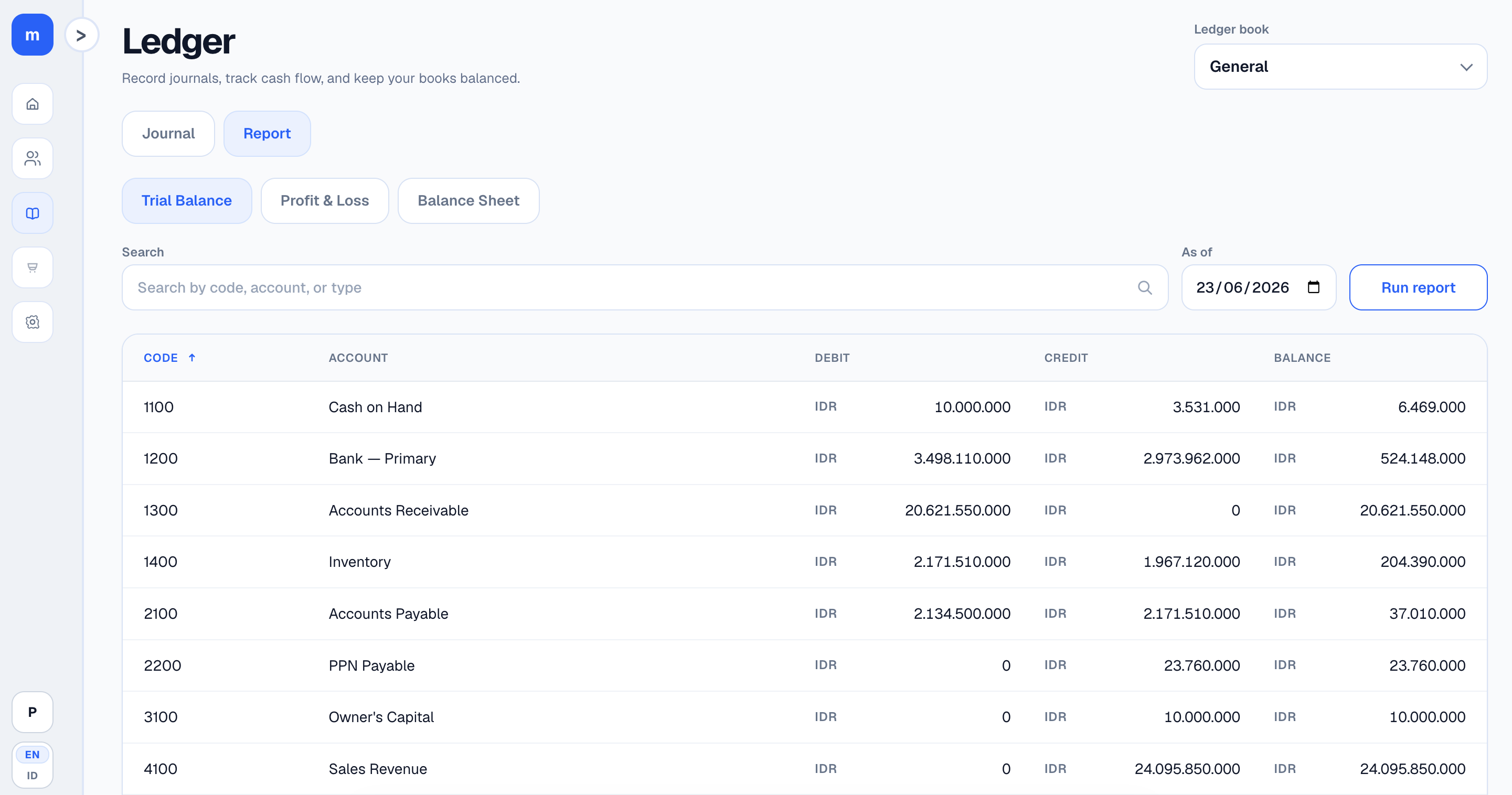
Once the numbers live in one place, your AI can actually use them
Hannah connected ChatGPT to Modula through MCP — basically giving the agent read-only access to her workspace after she approved it. She wasn't trying to automate bookkeeping. She just wanted a straight answer to a question she used to punt to her bookkeeper.
If I take an owner's draw this month, how much is reasonable without messing up cash flow?
The agent didn't guess. It called Modula's tools, checked cash and bank balances, looked at recent profit and loss, and answered with a range grounded in her ledger — not a blog post about small business finance.
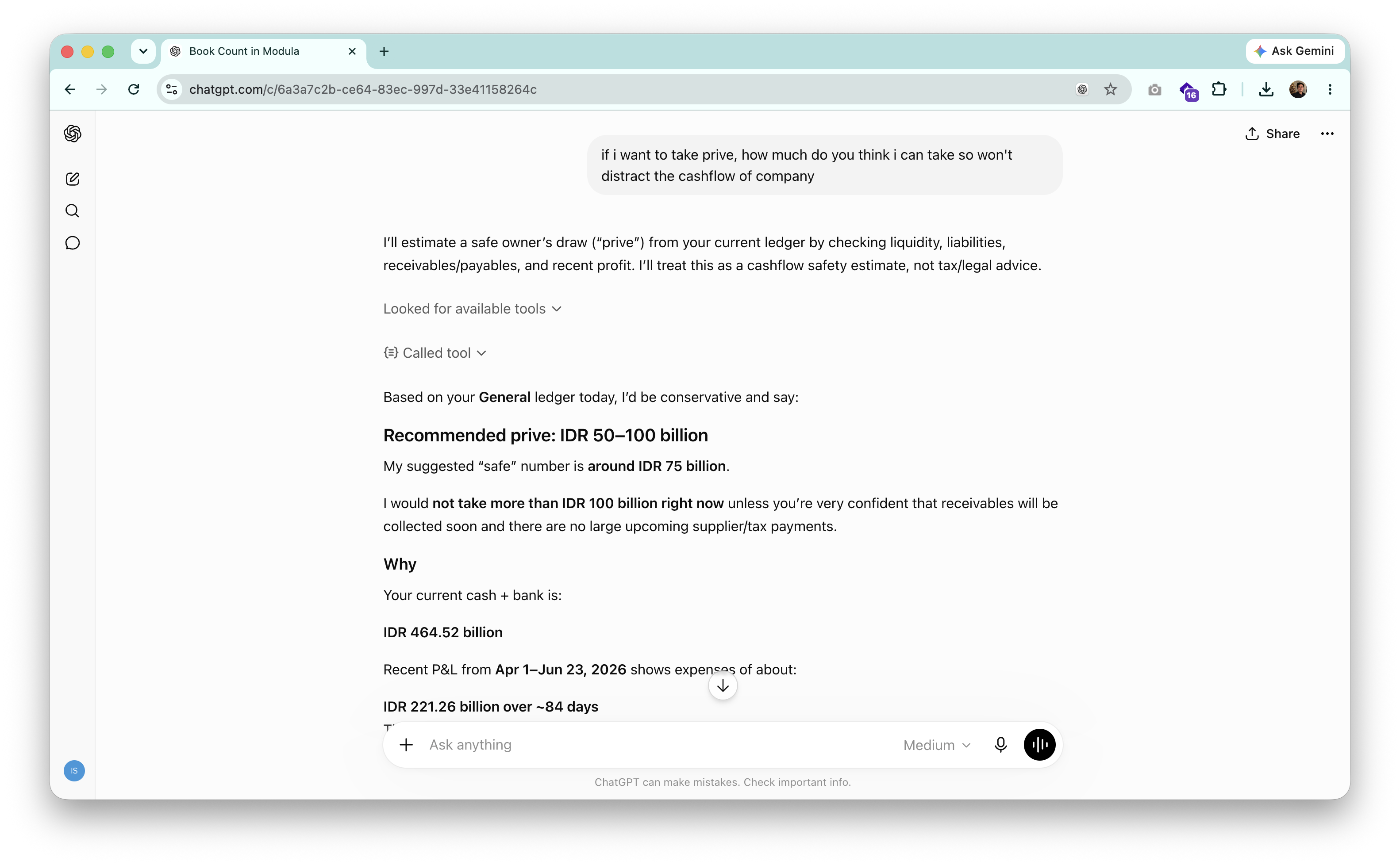
That's the practical upside of MCP for a team like hers. CRM and books in one workspace is already useful. Letting an AI agent read that data — with permission, read-only — means you can ask things in plain English (or Indonesian) instead of building another report.
Worth knowing: Modula's MCP server works with ChatGPT, Claude, Codex, and other MCP clients. You authorize once per workspace. It doesn't post journals or move leads for you.
Hannah still runs the business herself. She just stopped exporting tabs into chat when she has a question that the data could answer directly.
Still on the fence?
Reasonable. Every business has a different mess.
If it helps to talk it through — what you use now, where data slips — message us on WhatsApp. Short conversation, no script.
Hannah still exports things sometimes. She just doesn't treat the export as the system anymore. That's the whole shift.